This is the second of four blog posts about how we implemented a complex metadata mapping strategy within our enterprise. I was inspired to write these posts to help others use BA Insight metadata tagging products with SharePoint and SQL content. The internet does not have much out there to help people like us walk through real world scenarios on how these tools work together to create a desired solution.
Series of posts describing the Enterprise Metadata Tagging project:
- Enterprise Metadata Tagging – The Requirements
- Enterprise Metadata Tagging – The Setup [This one]
- Enterprise Metadata Tagging – The Implementation
- Enterprise Metadata Tagging – The Demo
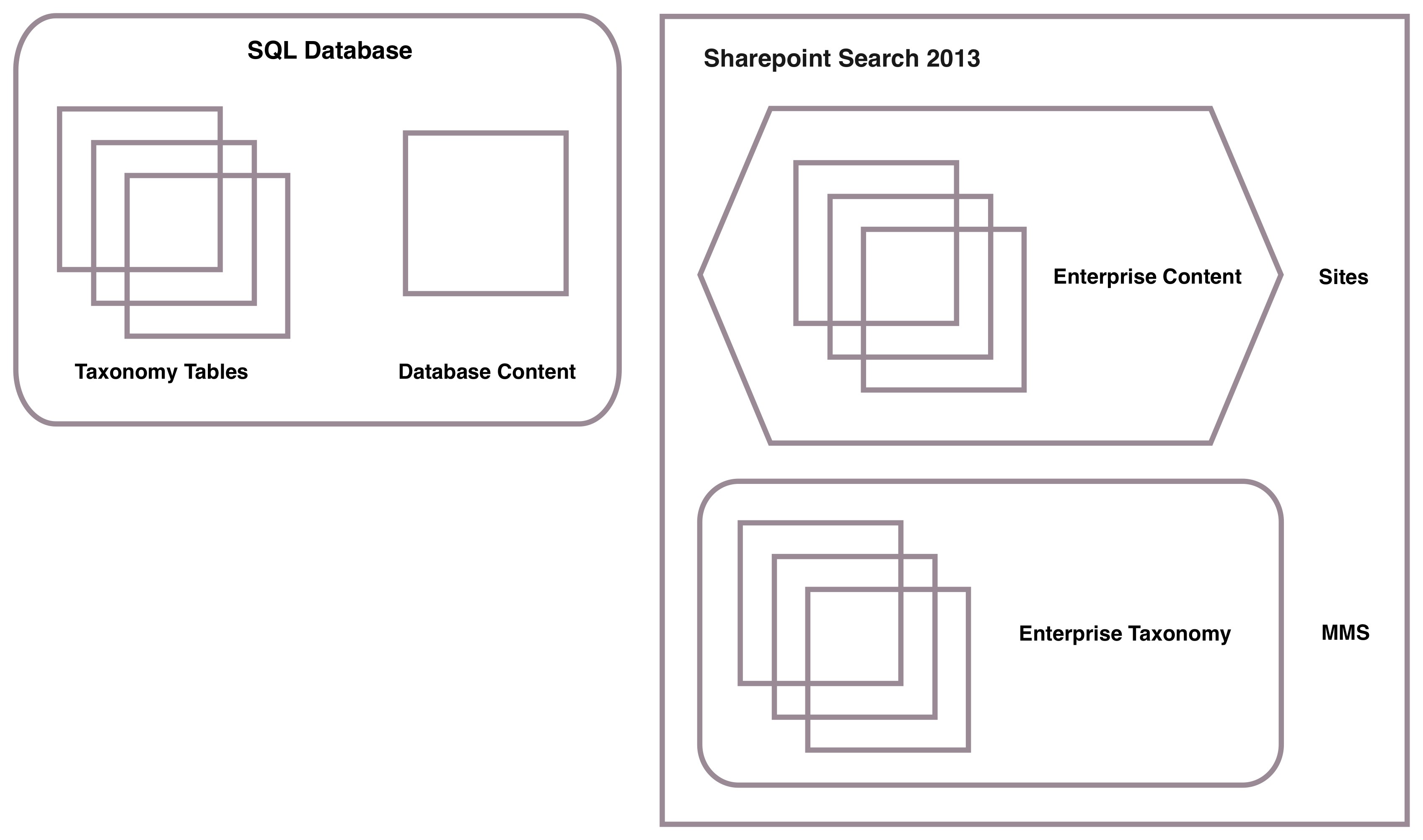
This post will concentrate on the content and database sources which are needed to create this prototype. We will have three SharePoint content sources and one SQL content source. Taxonomy will be stored in two different places: SharePoint MMS and a SQL database. We would also need to add some new managed properties and map them to the content crawl properties. Lets walk through this prototype data setup.
Taxonomy and Content Setup View
Tool installation
We can assume that the following has been installed and functioning properly on the prototype server:
- Microsoft SharePoint 2013 – Could be the 2016 version of the software
- Microsoft SQL Server 2008 R2 – Could be a higher version of the database server
- BA Insight Connector Framework
- BA Insight SQL Connector
- BA Insight Smart Pipeline
- BA Insight AutoClassifier
SharePoint MMS Taxonomy Setup
Static values
Taxonomy values which do not change often or are easily changed when appropriate. Mostly business rule or complex tagging schemes.
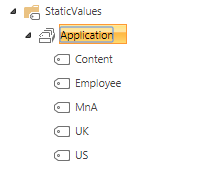
- Application – New term set used to tag the listed applications to the enterprise application Id using the content source property.
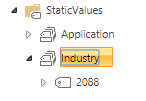
- Industry – New term set used to tag documents within a specific path to an industry Id
Content source taxonomies
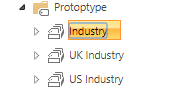
- Prototype Industry Term Store – Used to store Enterprise, US and UK term sets consumed by the Content, US and UK content sources (SharePoint sites)
SQL Database Taxonomy Setup
Dynamic values
Taxonomy values which change often, are not easily updated or need data deployments to achieve. Mostly large and/or complex taxonomies which also include mapping from application to enterprise taxonomy.
These tables captures application to enterprise tagging which is key to this metadata strategy. These tables can also be updated as often as necessary to keep the metadata tagging approach consistent. Generally, mapping is from App GUID, TermId and Text to Enterprise Term Id’s.
- US Application – SharePoint content source using an application taxonomy

Since the US application is a SharePoint content source the GUID (AppGUID) represents the MMS value to be matched on in the application industry managed property. The system tags each document from AppGUID to the enterprise industry term Id (EntTermId).
- UK Application – SharePoint content source using an application taxonomy
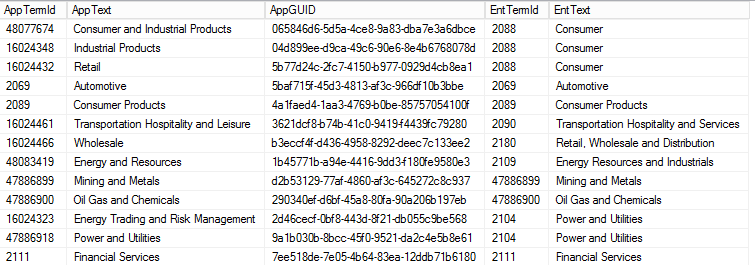
Since the UK application is a SharePoint content source the GUID (AppGUID) represents the MMS value to be matched on in the application industry managed property. The system tags each document from AppGUID to the enterprise industry term Id (EntTermId).
- Employee Application – For all non-SharePoint content sources which use an application taxonomy
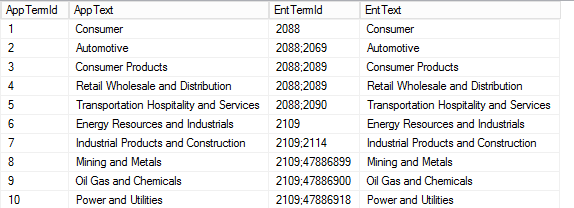
Since the Employee application does not use SharePoint MMS the application Term Id (AppTermId) and Text (AppText) represent the value to be matched on in the application industry managed property. Then the system tags each document to the enterprise industry term Id (EntTermid) from this relationship.
SharePoint Schema Setup
Added the following managed properties to the schema
Enterprise taxonomy
- EntApplicationId – Used to capture application tagging
- EntIndustryId – Used to capture Industry tagging

Application taxonomy
- AppBusinessId- Used to capture the TermId values from the SQL content source
- AppBusinessText – Used to capture the text values from the SQL content source
- AppBusinessMMS – Used to capture the MMS values from the SharePoint content sources

SharePoint Content Sources Setup
US Application – SharePoint MMS tagged content source
- Documents in root document repository
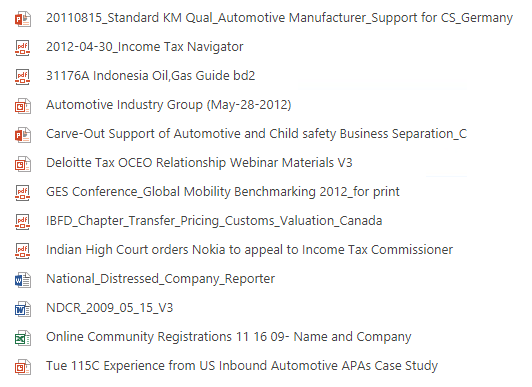
- Example of tagging with MMS US Industry term set

UK Application – SharePoint MMS taxonomy tagged content source [multiple tags]
- Documents in root document repository
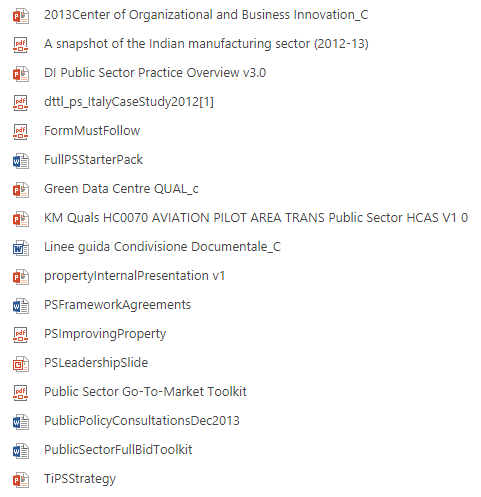
- Example of tagged with MMS UK Industry term set
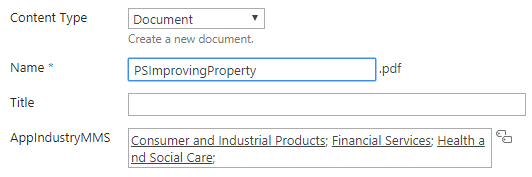
Content Application – SharePoint content source not taxonomy tagged. Is used to test tagging with static path values.
- Folders – All documents are in these folders

SQL Content Source Setup
Employee Application is SQL based and is representative of our non-SharePoint content sources
- EmployeeSQL table

909 employees to be crawled from this table with some having an application Term Id, some not. Application Text and some not. And some both. Will be used to test alternate field when primary field is empty as well as normal SQL content tagging.
 Searching for Bob
[…] Enterprise Metadata Tagging – The Setup […]
[…] Enterprise Metadata Tagging – The Setup […]
[…] Enterprise Metadata Tagging – The Setup […]